In today’s digital world, security is no longer optional—it’s a necessity. Whether you own a small business website, an e-commerce store, or a corporate portal, protecting your visitors’ data should be a top priority. One of the most effective and widely adopted tools for online protection is the secure certificate, better known as an SSL/TLS certificate.
A secure certificate establishes an encrypted connection between a user’s browser and a website’s server, ensuring that sensitive information like passwords, credit card details, and personal data remain safe from hackers. Without it, your site risks being flagged as “Not Secure” by browsers, leading to loss of credibility, customer trust, and even search engine rankings. Strengthening overall IT security alongside SSL certificates further enhances protection against evolving online threats.
This article will give you a complete guide to secure certificates—how they work, why they matter, their benefits, costs, types, and how to get one.
What is a Secure Certificate?
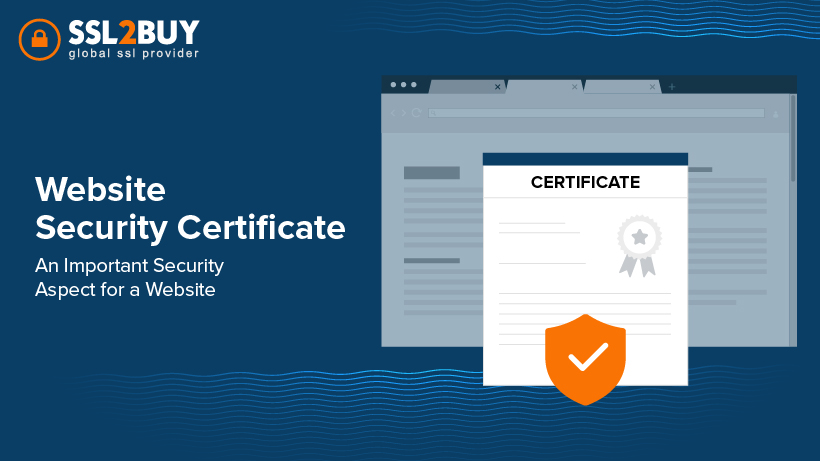
A secure certificate (SSL/TLS certificate) is a digital certificate issued by a trusted authority called a Certificate Authority (CA). Its primary role is to:
- Encrypt communication between users and websites.
- Authenticate websites, proving they are legitimate and not fake.
- Build trust by showing security indicators like the HTTPS prefix and padlock icon in the browser bar.
For example:
- A website with a secure certificate shows https://yourdomain.com
- A site without it shows http://yourdomain.com and might display a warning message
How Does a Secure Certificate Work?
The working of a secure certificate can be explained in a few steps:
- Handshake Process
- When a user visits your website, the browser requests a secure connection.
- Certificate Verification
- The website sends its SSL/TLS certificate to the browser for verification.
- Key Exchange
- The browser and server exchange encryption keys to establish a secure connection.
- Secure Data Transmission
- All data is encrypted, preventing hackers from intercepting or stealing information.
This process ensures that sensitive data—like login credentials, payment information, or personal records—remains private.
Why Do You Need a Secure Certificate?
A secure certificate is critical for several reasons:
- 🔒 Data Protection – Protects customers’ sensitive information with 256-bit encryption.
- 🛡 Authentication – Verifies that your website is genuine and not a phishing site.
- 📈 SEO Advantage – Google ranks HTTPS-enabled websites higher than HTTP ones.
- 💳 E-commerce Requirement – Essential for websites that handle online payments.
- 🙌 Customer Trust – Visitors trust the padlock icon and HTTPS when entering details.
- 🚫 Avoid Browser Warnings – Prevents “Not Secure” alerts that scare away users.
Types of Secure Certificates
There are different types of SSL/TLS certificates, depending on validation level and usage:
- Domain Validated (DV) Certificates
- Fast and easy issuance
- Verifies only domain ownership
- Best for blogs, personal websites, or small businesses
- Organization Validated (OV) Certificates
- Verifies domain and organization identity
- Adds higher credibility
- Suitable for SMEs and professional websites
- Extended Validation (EV) Certificates
- Rigorous verification process
- Displays company name in browser bar
- Best for e-commerce, banking, and large corporations
- Wildcard Certificates
- Secures one domain and unlimited subdomains
- Cost-effective for websites with multiple services
- Multi-Domain Certificates (SAN Certificates)
- Secures multiple domains under a single certificate
- Ideal for businesses managing many websites
Cost of a Secure Certificate
The cost of a secure certificate depends on the type and the certificate authority (CA).
- DV SSL Certificates: $10 – $70 per year
- OV SSL Certificates: $50 – $200 per year
- EV SSL Certificates: $100 – $500 per year
- Wildcard SSL Certificates: $100 – $400 per year
- Multi-Domain SSL Certificates: $80 – $300 per year
Some hosting providers also include free DV SSL certificates (e.g., Let’s Encrypt), but they don’t provide warranties, extended validation, or business credibility.
Benefits of Using a Secure Certificate
- Strong Encryption
- Protects against hackers and man-in-the-middle (MITM) attacks.
- Better User Experience
- Visitors feel confident browsing and transacting securely.
- Boosted SEO Rankings
- Google gives preference to HTTPS websites.
- Regulatory Compliance
- Required for meeting GDPR, PCI DSS, HIPAA, and other compliance standards.
- Increased Conversions
- Secure websites improve trust, leading to higher sales and form submissions.
- Brand Reputation
- Enhances credibility and shows commitment to cybersecurity.
How to Buy a Secure Certificate
Getting a secure certificate is simple. Here’s the step-by-step process:
- Choose a Certificate Authority (CA)
- Trusted providers include DigiCert, Comodo (Sectigo), GlobalSign, GeoTrust, and RapidSSL.
- Pick the Right Certificate Type
- Based on your website’s needs (DV, OV, EV, Wildcard, Multi-Domain).
- Generate a CSR (Certificate Signing Request)
- From your server or hosting control panel.
- Complete Validation
- Domain validation for DV
- Business verification for OV and EV
- Install the Certificate
- On your web server or hosting platform.
- Redirect to HTTPS
- Ensure all pages use HTTPS to avoid mixed content errors.
Common Mistakes to Avoid with Secure Certificates
- ❌ Forgetting to renew certificates on time
- ❌ Choosing the wrong type of SSL for your business
- ❌ Not redirecting all traffic to HTTPS
- ❌ Using free SSL where strong validation is required
- ❌ Ignoring installation on all servers and subdomains
FAQs About Secure Certificates
Q1: Is a secure certificate mandatory for all websites?
Yes. Even if you don’t handle payments, Google and modern browsers require HTTPS for trust.
Q2: Can I get a free secure certificate?
Yes, from providers like Let’s Encrypt. However, they only offer DV SSL with limited features.
Q3: How long does it take to issue a secure certificate?
- DV: A few minutes
- OV: 1–3 business days
- EV: 3–7 business days
Q4: Do secure certificates affect website speed?
No. With modern servers, SSL encryption has minimal impact on performance.
Q5: How do users know my website has a secure certificate?
The padlock icon and HTTPS prefix appear in the browser address bar.
For more helpful blog posts like this one, visit the rest of our site, YearlyMagazine.
Conclusion
A secure certificate is the foundation of a safe, trustworthy, and professional website. It not only protects sensitive data but also enhances credibility, SEO rankings, and customer trust.
Whether you’re running a personal blog, an online shop, or a multinational enterprise, investing in the right SSL/TLS certificate is essential. From Domain Validated SSLs for beginners to Extended Validation SSLs for enterprises, there’s a secure certificate for every need and budget.