Serious phone problems can make even simple daily tasks feel frustrating and unreliable. When apps stop responding, the system slows down, or errors appear without warning, many people immediately think about drastic solutions. A factory reset is often described as the “nuclear option” because it wipes everything and restores the phone to its original state. While this can solve deep software issues, it also erases personal data and settings, making it a decision that should not be taken lightly. To help you decide wisely, in this article, we will walk through the clear signs that a factory reset is truly necessary and when it makes sense to use it as a last resort.
Sign 1: Severe and Persistent Software Issues
Apps Crash Constantly, Even After Updates
When apps crash repeatedly despite being fully updated, it usually points to deeper system-level issues. In daily life, this can show up as your messaging app closing mid-conversation or navigation apps failing during a commute. Restarting the phone may offer temporary relief, but the crashes often return quickly. Over time, corrupted system files or conflicting app data can make the operating system unstable. A factory reset removes these conflicts entirely, giving apps a clean environment to run properly again.
Phone Lags or Freezes During Basic Tasks
Lagging during simple actions like opening settings, answering calls, or typing messages is a strong warning sign. This kind of slowdown is more than normal aging and often means the system software is overloaded or damaged. For everyday users, it turns routine activities into stressful experiences, especially during busy moments. Clearing storage and closing apps may help briefly, but persistent freezing suggests deeper issues. A factory reset rebuilds the system from scratch, often restoring smooth performance for daily use.
Sign 2: Unexplained Battery Drain or Overheating
Battery Dies Rapidly with No App to Blame
Sudden battery drain can disrupt daily routines, especially when you rely on your phone for work or travel. If battery usage settings do not show any app consuming excessive power, the problem may be hidden system processes. Corrupted software can cause background activity that drains the battery constantly. This issue often continues even after software updates or restarts. A factory reset can eliminate faulty background processes and restore normal battery behavior.
Device Gets Hot During Light Use
Overheating while browsing the web or checking messages is not normal behavior. This can make holding the phone uncomfortable and reduce overall performance. In everyday situations, overheating may also trigger automatic slowdowns or shutdowns. Software bugs or malware can force the processor to work harder than necessary. Resetting the phone removes these issues and helps return temperatures to safe levels.
Sign 3: Forgotten Password or Major Malware
You’re Locked Out and Can’t Recover Access
Forgetting your phone password can quickly turn into a serious problem. If account recovery options fail and biometric access is unavailable, users may be completely locked out. This is especially stressful when important contacts, photos, or work information are stored on the device. In such cases, a factory reset is often the only way to regain access. Although it means losing local data, it allows the phone to be usable again.
A Virus or Persistent Adware Won’t Go Away
Malware can make a phone nearly unusable by displaying constant ads or redirecting apps. Some malicious software survives app deletion and continues running in the background. In daily life, this affects browsing, drains data, and compromises privacy. Security apps may detect the issue but fail to fully remove it. A factory reset is the most reliable way to completely eliminate stubborn malware and restore a clean system.

Sign 4: Preparing to Sell or Give Away Your Phone
You Must Completely Wipe All Personal Data
Before selling or giving away a phone, protecting personal information is critical. Messages, photos, emails, and saved passwords can all remain accessible without a proper reset. Simply deleting files does not fully remove them from the system. In everyday terms, this could expose private details to the next owner. A factory reset ensures all personal data is erased securely.
It’s a Standard Step for Safe Transfer of Ownership
A factory reset is the accepted standard when transferring a phone to someone else. It removes linked accounts, custom settings, and personal files in one step. This makes the phone ready for a new user without complications. It also prevents issues where the new owner cannot activate the device properly. For peace of mind, a reset ensures a clean and smooth transition.
Conclusion
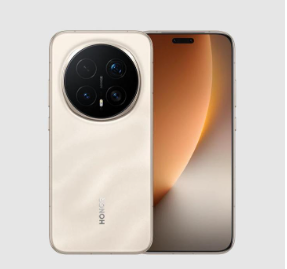
A factory reset can be a powerful solution, but it should never be the first thing you try. In everyday life, simple steps like restarting, updating software, or clearing storage can solve many issues without data loss. However, when problems become severe, persistent, or involve security risks, a reset becomes a practical choice. At the same time, if ongoing issues make you consider starting fresh altogether, you can look at HONOR Magic 8 Pro deals as an example of upgrading instead of repeatedly fixing an aging device. Whether you reset or replace, the key is making a thoughtful decision that restores reliability and fits your daily needs.